Pages

Showing posts with label after effects. Show all posts

Thursday, November 5, 2015

CSS Zen Garden Jabberwocky


The above piece of paper is my design for the CSS Zen Garden website. We were given a HTML file and a blank CSS file with some suggestions mapped out and spaces for us too use. We, without editing ANY of the HTML, had to create a 100% original interpretation of how the site should look. This was to help us learn the power of CSS, and that you don't need to use HTML to make a good website.

Thanks to the use of images and fluid width, I feel like I replicated my ideas very well (compared to how complicated it usually goes). With Photoshop and Illustrator used to make the background, I also used them to create the title and the lightning bolt for effect. In my mind I thought I would be able to seperate the content and the title with the bolt, and put the extra links and info next to the author, but it didn't quite work out that way. At the same time I think it works better how it came out.

One major thing I learned doing this project, and its hard to believe I didn't know about this before but somehow I didn't know that you could input images wherever you wanted through background images and/or AP Divs. I had always been under the impression that the only way to put in images was through HTML, which gave me a little concern when I started but thank goodness I found out. In fact, the background, hilariously enough, the hardest part of the project, but not because of the background images concept. I spent 1.5 periods in class (and even some outside of class! I was silly determined to see it work) just working on the background and it's respective images. There were too many things I wanted to put in and I spent so much time trying to make them all fit and have no border and all this other nonsense. 


All in all, the entire project took me about 6 class periods to create and I am very satisfied with the end result. It has a few hilarious issues with browser width, but otherwise it's good. In fact, you don't need to take my word for it, check it out yourself on my index!

Thursday, May 14, 2015

Explosions, Animation

These have been sitting in my folder a few weeks with no news or mention of a blogpost required, so I'm gonna go ahead and post them here anyway because I think they are really cool.


For this project we followed a tutorial online, using files provided by the teacher to create a fireball coming out of a parking garage. In hindsight I now see a couple mistakes I made in relation to the realism, but otherwise I feel like it came out pretty good.
We then created our own explosion from 3 different scenes to choose from and a bunch of different effects to use. I tried to make it seem like the fire pit had too much fuel thrown in or something, and I think that while as unrealistic as that seems the lighting I made looks really really good.

Finally, we were let off into the wild (and into groups) with most of the special effects at our disposal. I worked with my friends Cody, Collin and Danielle to create an exploding object. In our case we used an exploding book. I am incredibly happy with my editing and acting, although I feel my explosions and lighting is a little mediocre.

Monday, September 22, 2014

Character, Animation

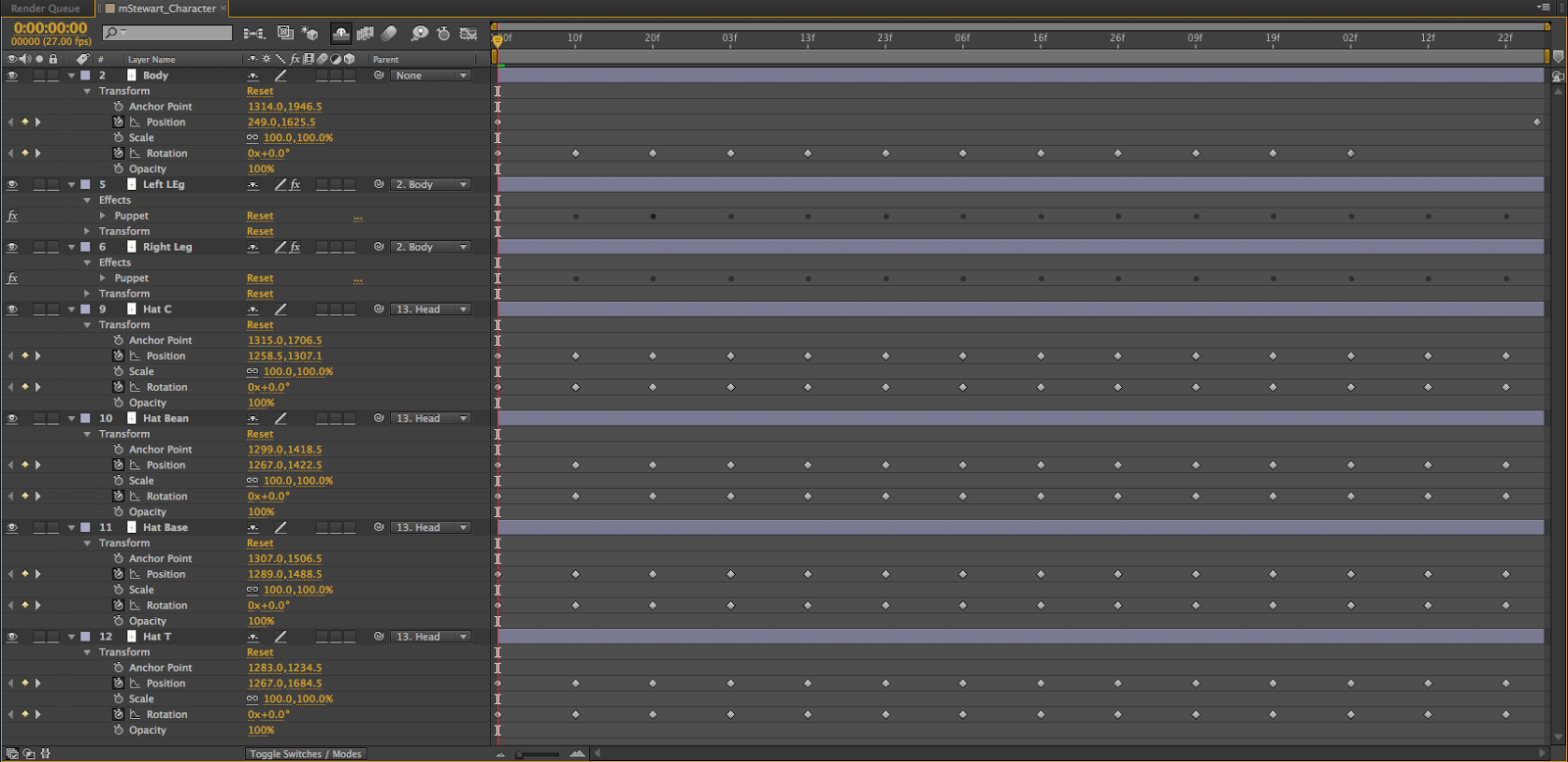
My character is a british gentleman of leisure. I decided to design him like so because I figured that making a serious person look ridiculous and act ridiculous would be funny. I took inspiration for the hats from the video game Team Fortress 2, wherein they state "A man's wealth is measured by the amount of hats he wears on his head." and so, I put 4 hats on him that wobble back and forth. 
I originally had him holding a teacup and a cane that would bounce back and forth as he walked, but I ran into complications with the teacup and the cane wouldn't have worked like i would have liked. I also do not like the colors I used, but I couldn't find any suitable so I rolled with it. The hats was the hardest part but only by a little bit, because the copy/pasting wasn't working like it should. Everything else was easy in comparison. . 
I learned that making your character's feet point the same way is important if you're going to make the character walk like a normal person (which was actually the original plan), the puppet pin tool is useful for more then just making a thing squash and stretch, and that 100% black suits are not easy to work with.


An issue I had while making my character walk was with the aforementioned feet. I originally planned on having the character walk like a normal person and his hats would flop back and forth far more then they do now. If i could redo my animation i would add and fix up the teacup and the cane. Overall though, I think I did a good job.


In class, we had peer critique-ing over everyone's animation. The class pointed out that the size of the animation was too big, and that an easy fix for the legs pointing different directions would've been to flip the leg around. However, they thought the hats and the leg animation was hilarious. 

This is a resized version.

Wednesday, September 3, 2014

Inchworm, Animation *FIXED/IMPROVED*

So it turns out I kind of uploaded my last project a little bit too soon (blame the sub) and so I went ahead and remade the inchworm animation and improved the pins, and added a shadow for a more improved animation. I also did a little more work with the push/pin tool and added just a pinch of squash and stretch so it looks a LOT better then last time, in the sense that it no longer looks like its sliding across the screen. Now it just does it 33% of the time.

Thursday, August 28, 2014

Inchworm, Animation

This was our second animation project- This time it was far easier but in my opinion the end result is better. While everyone else had their worm just bounce up and down to portray movement I tried making my worm move a little more like a worm moves in real life, ignoring the fact that his butt slides across the screen. I'm also happy to say that I didn't need any help this time around. So that's a plus.
P.S. My animation >>>>>>>>>>>>>>>>>>>>>>>>> Cody Wilcox's thing.

Tuesday, August 26, 2014

Bouncing Ball, Animation

This is our first Animation project. It's...well, its just a bouncing ball. However it was a little harder then i expected, yet simple. That's okay though, baby steps are important. We first made the ball in Photoshop, then used keyframes to make it bounce around. We then moved over to After Effects and learned about/added squash and stretch to the ball to make it look more realistic and make it look better. We also re-did all of the keyframes and used ease-in and ease-out to great effect. It was a little difficult to try and find the right squash/stretch for the ball and I had to ask for help a couple of times with technical stuff, however it was easy to make the ball bounce around. I look forward to future projects.